Lab takes your counseling notes while you record and creates compliant documentation to store with your counseling sessions. Lab can also help you fill out MedsChecks to save you time.

Three steps, right on the counseling screen.
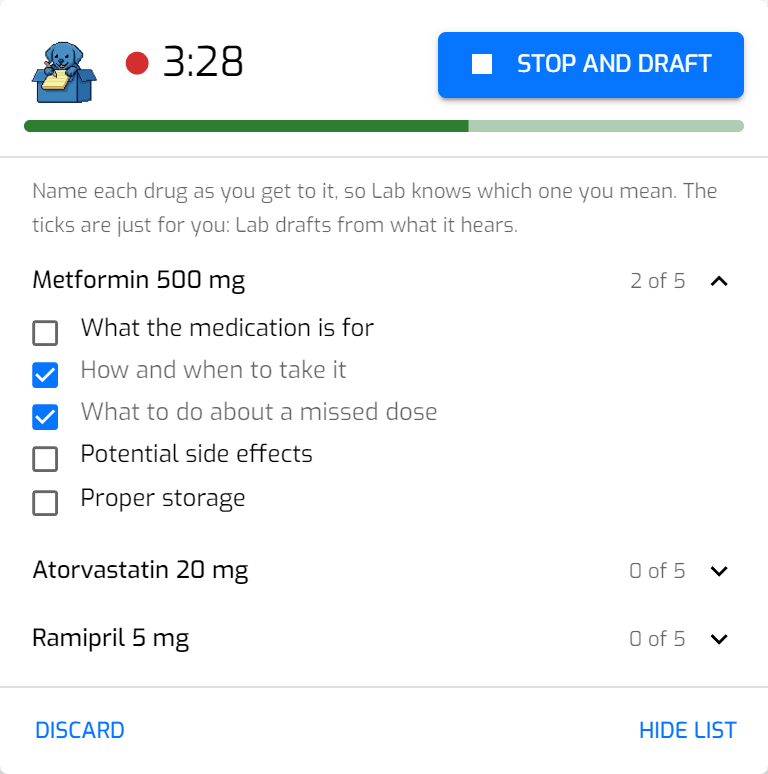
Press record and counsel the way you normally do. Name each drug as you get to it, so Lab knows which one you mean.
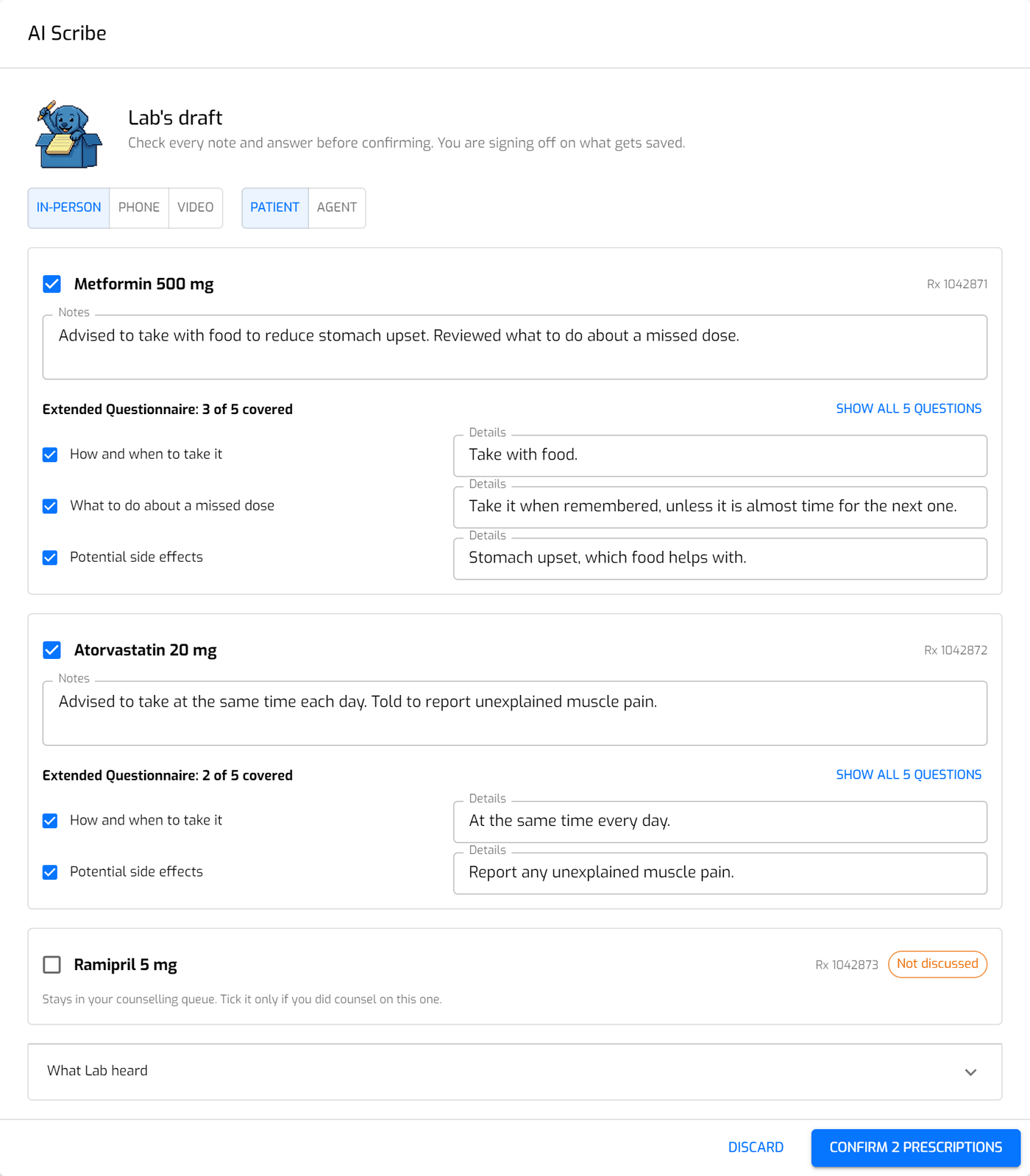
Lab writes a separate note for each prescription you discussed and flags anything it isn't sure about.
Check each note, change whatever you like, and confirm. The notes are saved with that counseling session.
You should be looking at your patient, not your keyboard. Record the conversation and Lab drafts the notes and the Extended Questionnaire for every prescription you talked about, so there's nothing left to type up once the patient has gone.
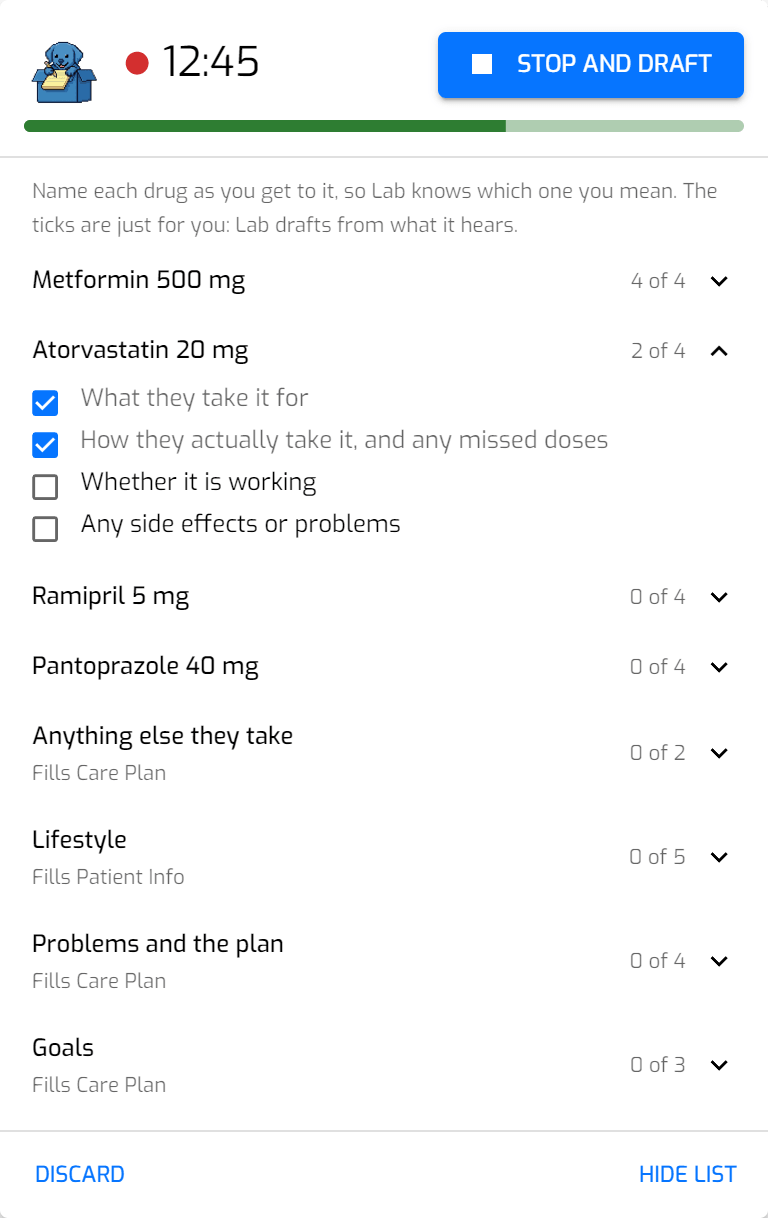
The recording sits beside the page, so you can still read the patient's profile while you talk. It lists the prescriptions waiting for counseling and the topics to cover for each. The ticks are just for you: Lab drafts from what it hears.
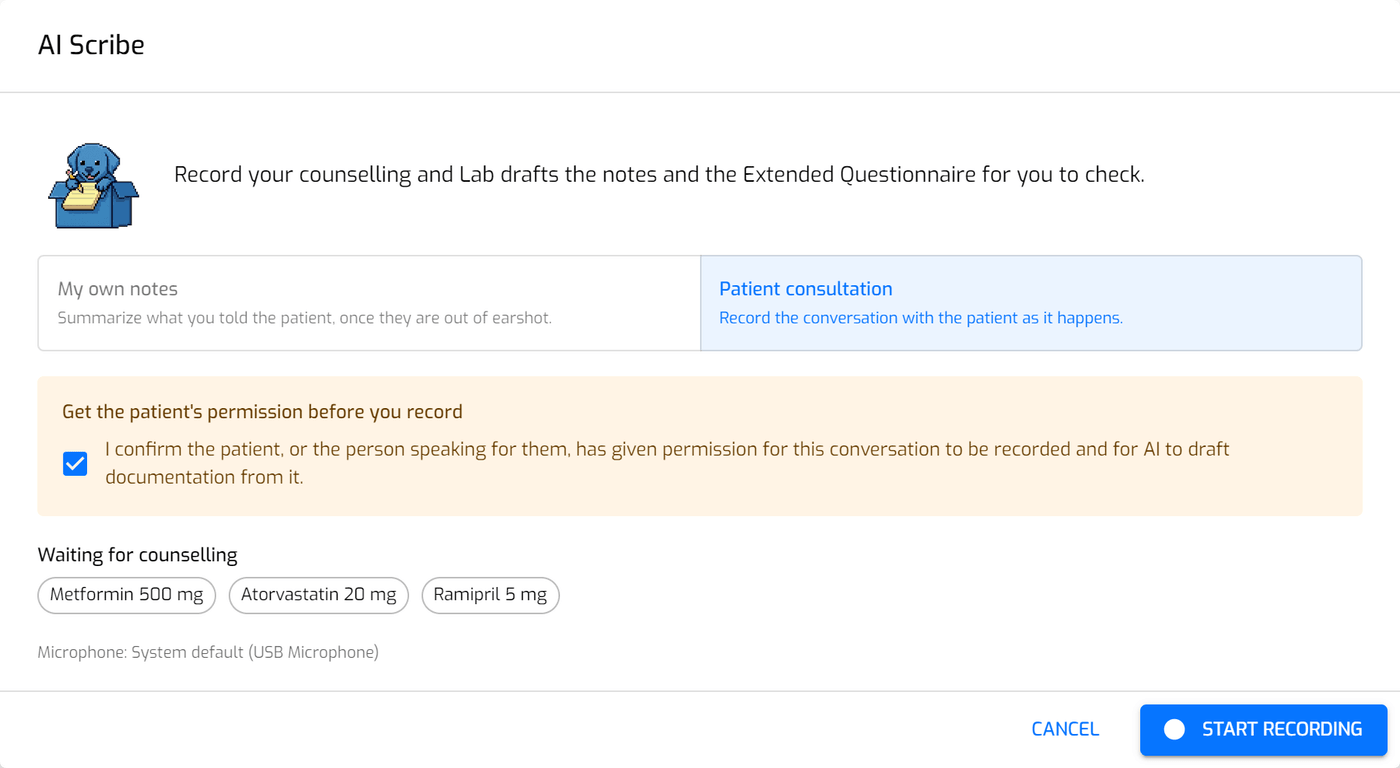
Record the conversation with the patient as it happens. You confirm you have their permission before every recording.
Summarize what you told the patient in your own words, once they're out of earshot. Lab turns it into the same notes.
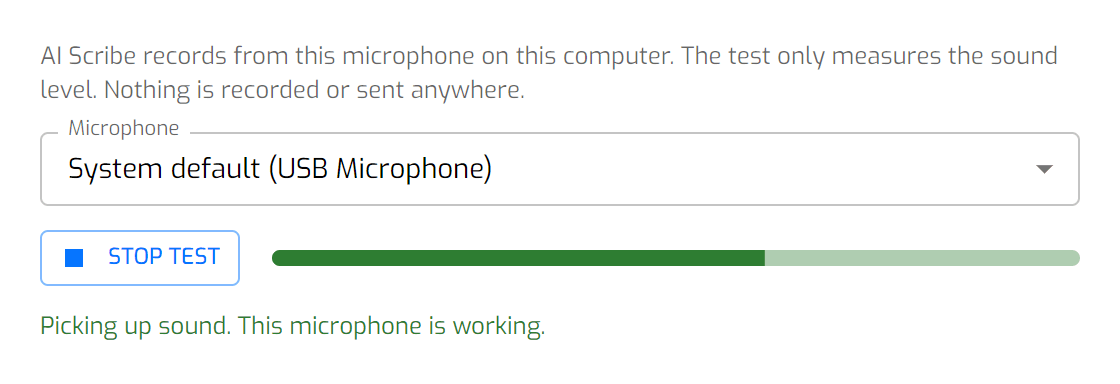
Choose the microphone for each workstation in Settings and run a quick test. The test only measures the sound level, so nothing is recorded or sent anywhere.
If your microphone isn't picking up any sound while you record, Lab tells you.
When you confirm, Lab's notes become the counseling record for each prescription, the same record you'd create by hand. Each one shows:
Anything you didn't discuss is marked that way and stays in your counseling queue.
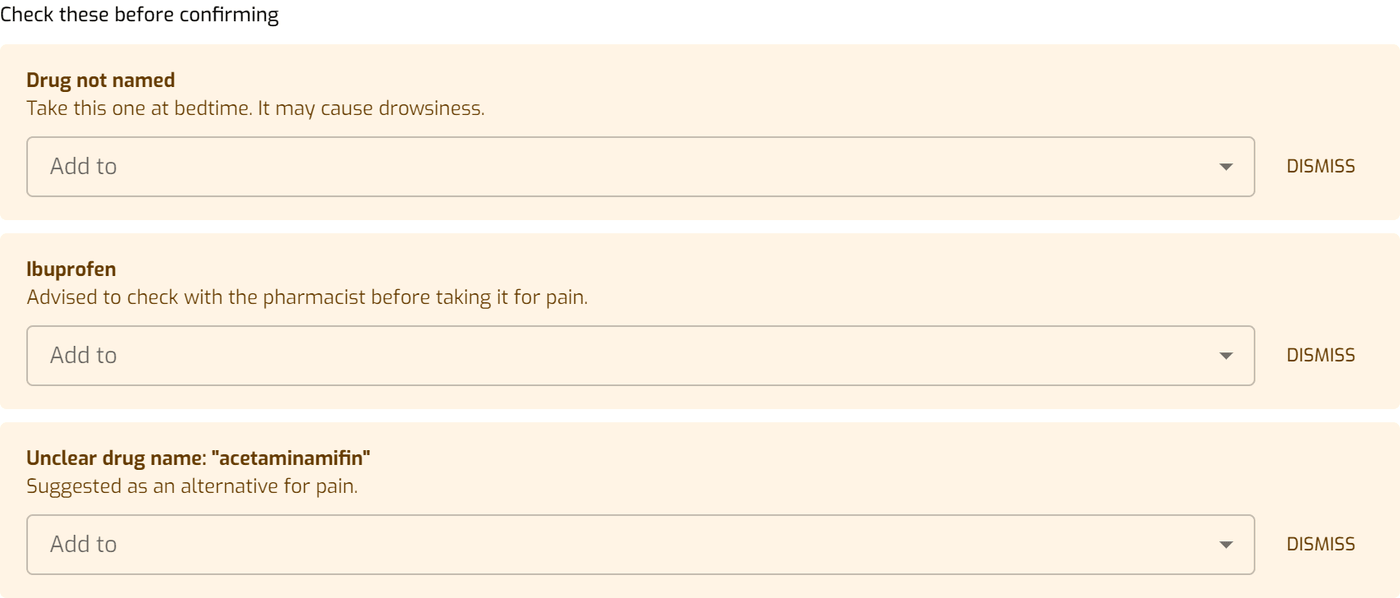
If something in the recording doesn't fit, Lab raises it with you before anything is saved:
Add each one to the right prescription or dismiss it. You can also open "What Lab heard" to read the transcript while you check.
A MedsCheck is a long conversation followed by a lot of forms. Record the review and Lab drafts the form for you to check.
While you record, a list beside the form shows what Lab needs to hear: each medication by name, anything else they take, lifestyle, problems and the plan, and goals. The parts after the medications say which tab of the form they fill.
The list is only a prompt, and Lab doesn't follow along live. Tick things off to keep your place, in whatever order the conversation takes. Lab drafts from what it hears, and a consultation can run up to 45 minutes.
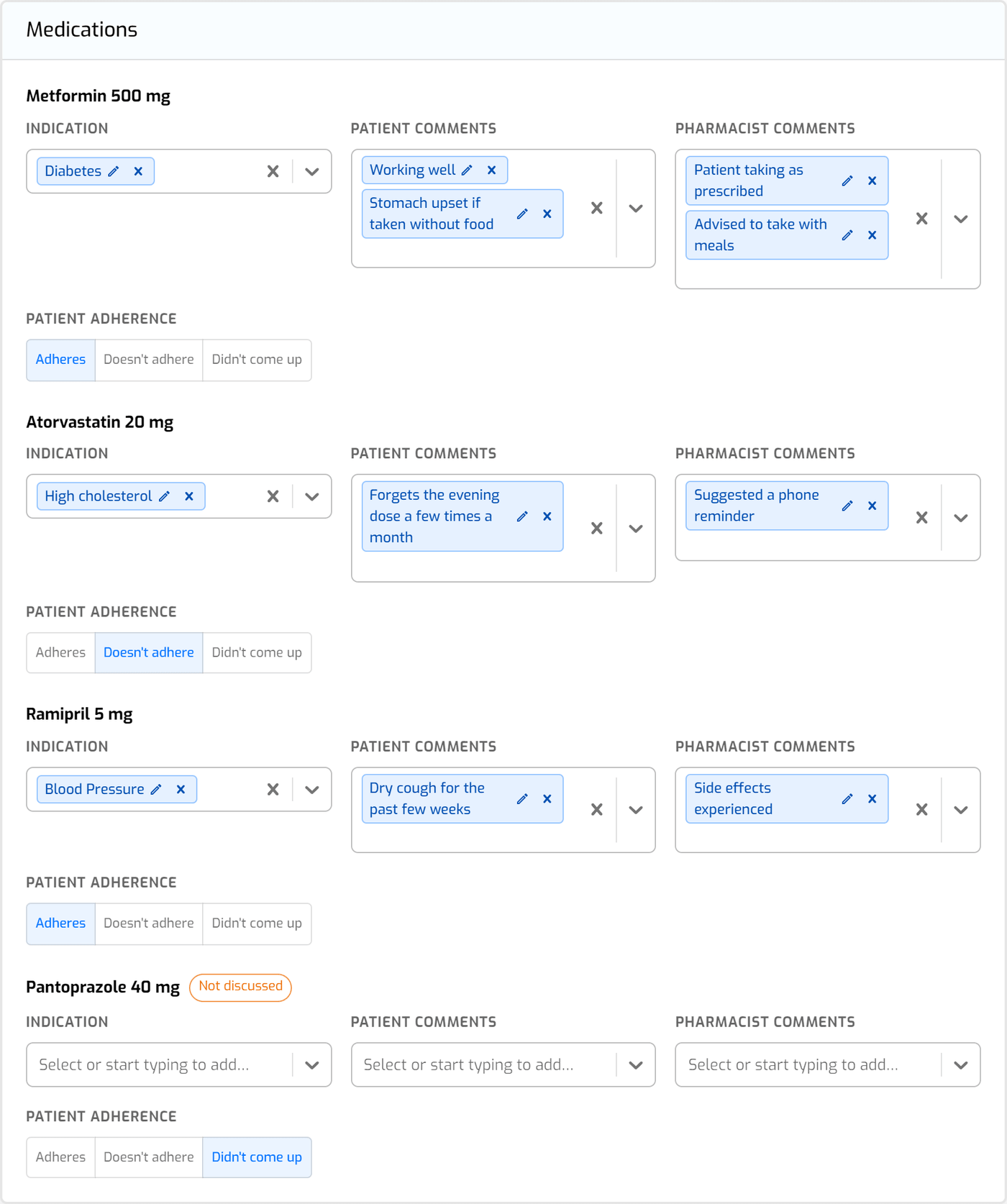
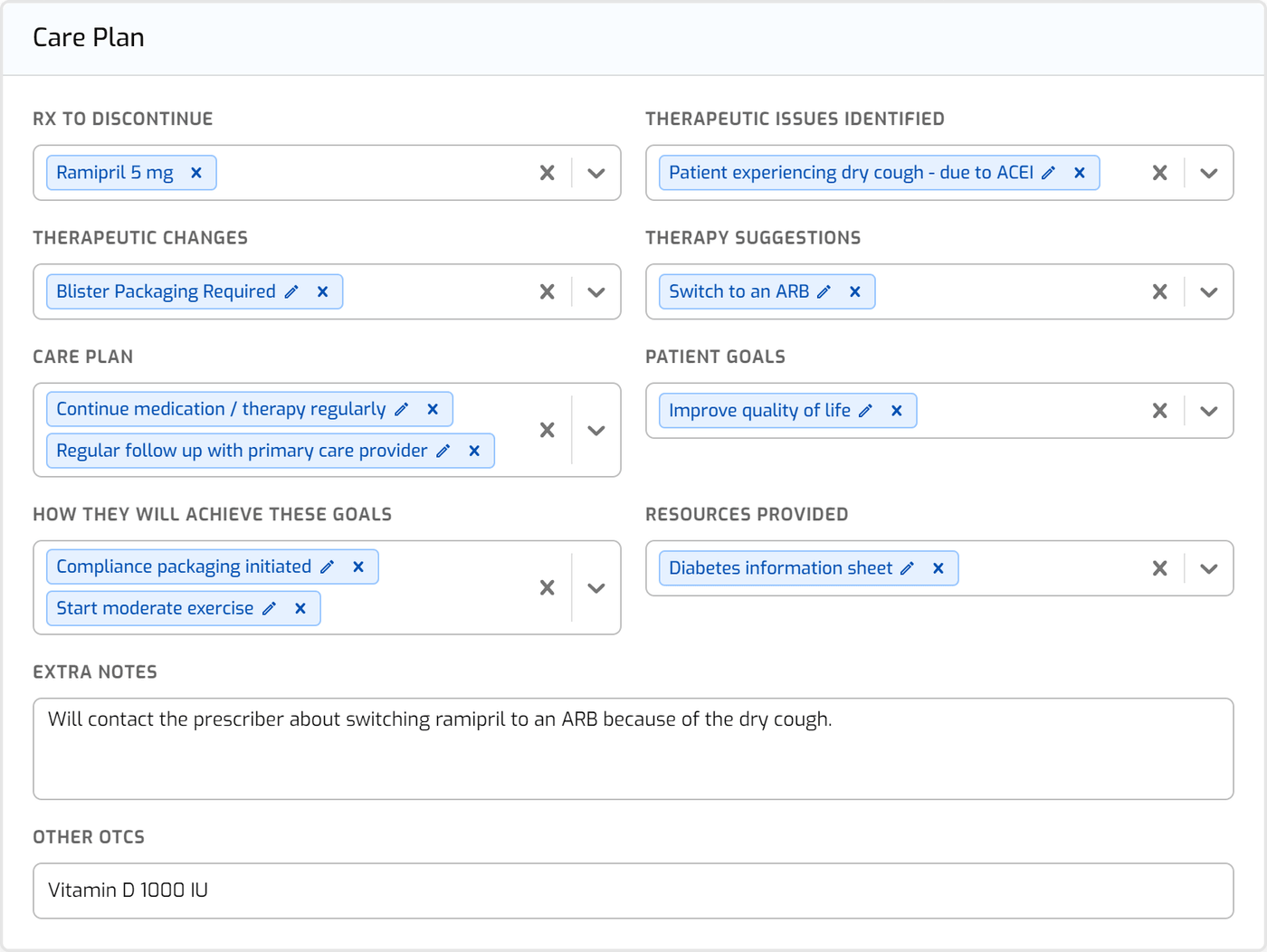
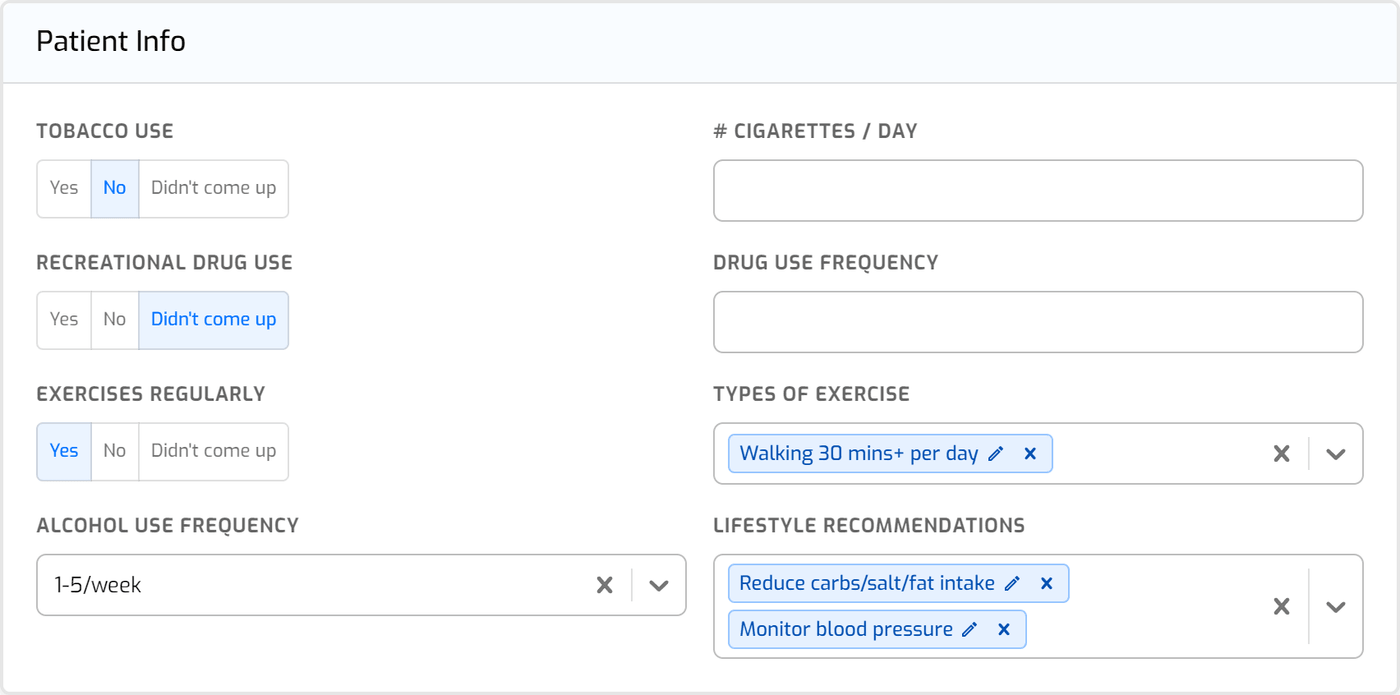
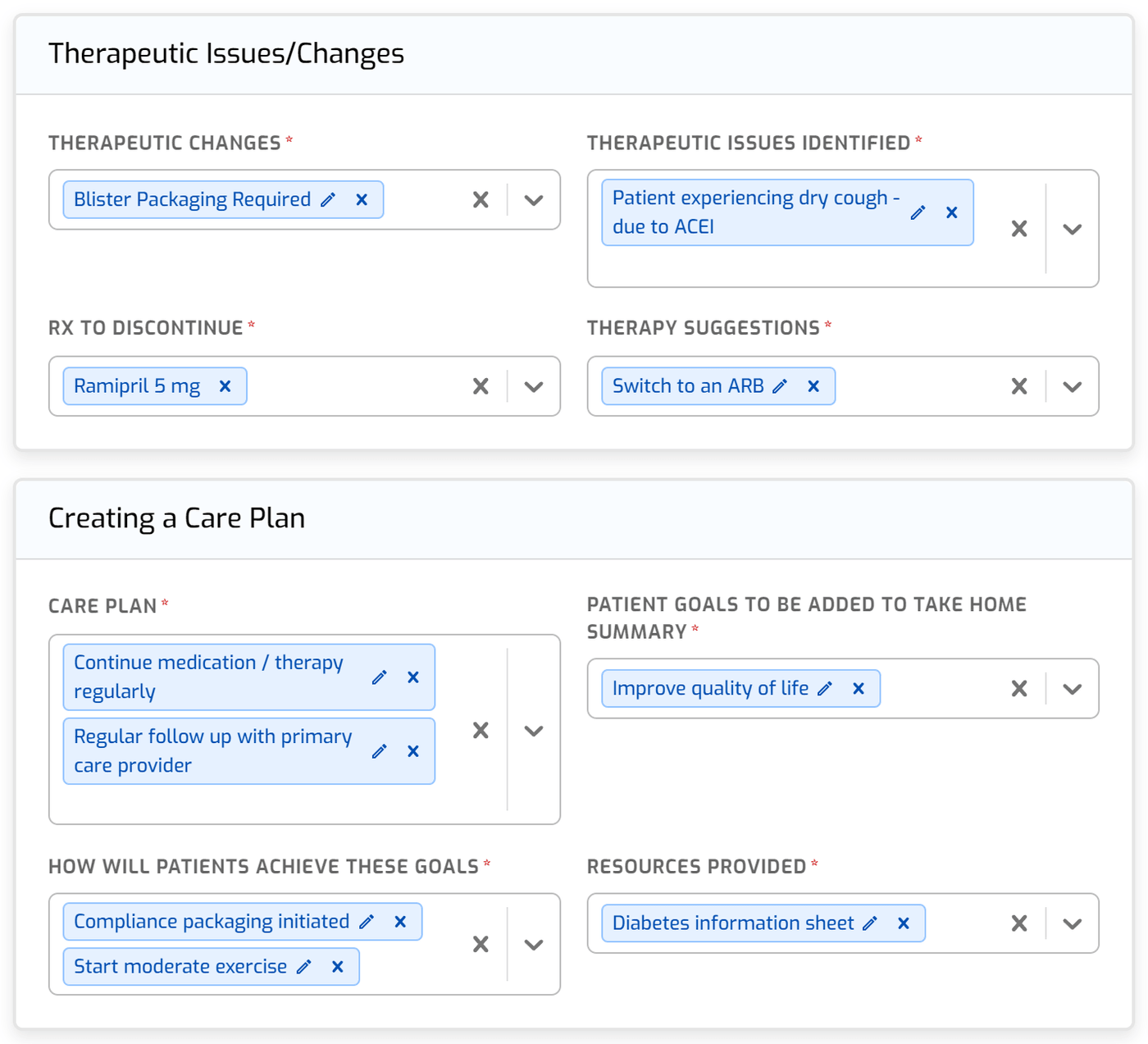
When you stop recording, Lab drafts the parts of the form you talked through, using the wording from your form's lists where it fits:
You can change any of it before it goes on the form. A medication you didn't get to is marked "Not discussed," and a question that never came up says "Didn't come up" instead of "No."
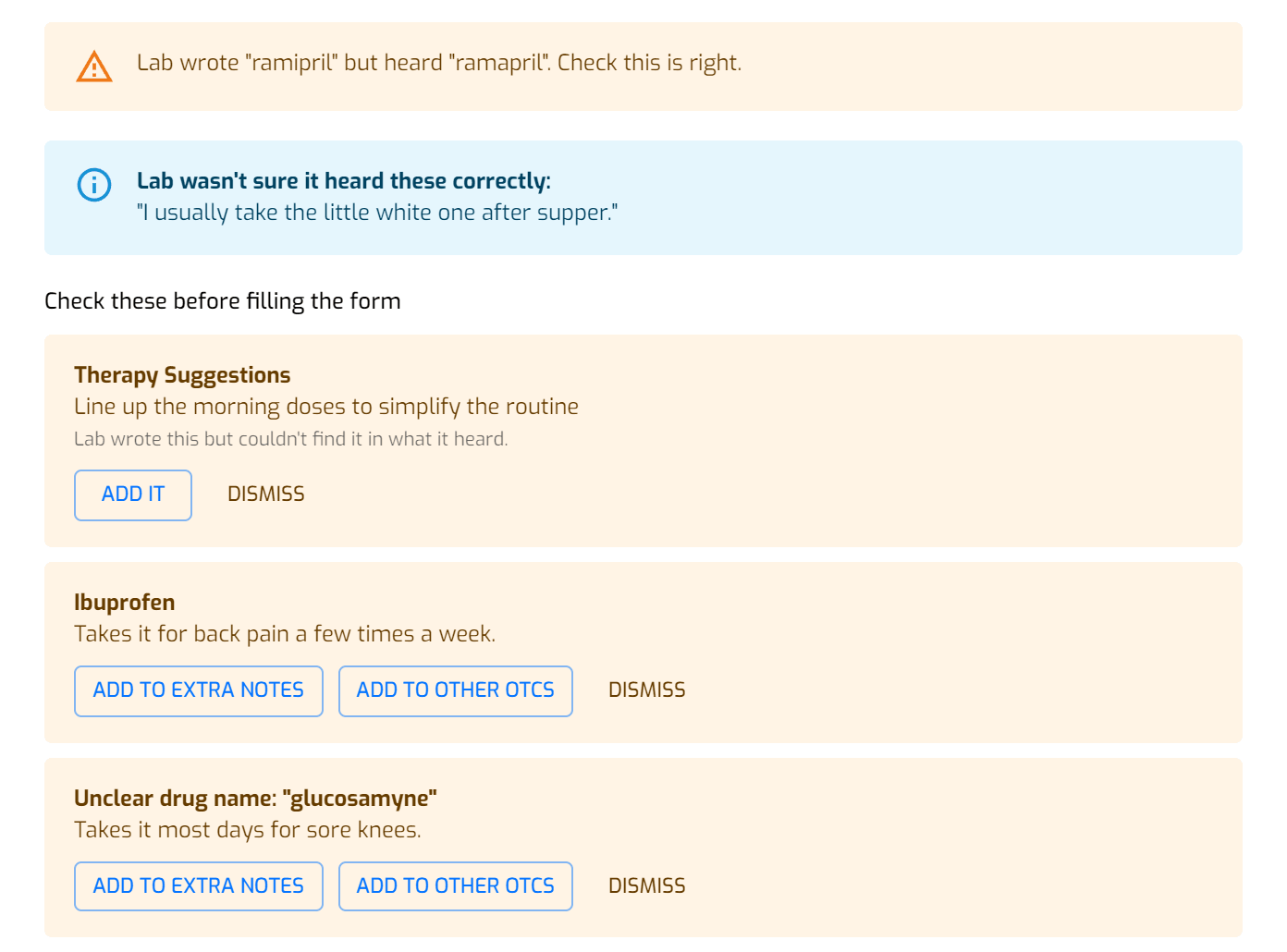
Lab has to quote the words it heard behind each entry it drafts. If it can't, the entry stays off the form, and Lab asks you about anything that could be a real finding. Lab also shows you:
Everything under "Check these" has to be added or dismissed before the form can be filled, so nothing gets lost along the way.
Press "Fill the MedsCheck" and what you checked goes onto the form's tabs. Filling only adds to what's already there, and nothing is saved until you save the MedsCheck.
Then check each tab, finish anything still marked, and sign and save the way you always do. If you missed something, record again and Lab adds to what's there.
A saved MedsCheck notes that parts of it were drafted by AI Scribe and checked by the pharmacist. For a consultation, it also shows when permission was recorded.
Lab does the writing. Your pharmacist stays in charge.
Before you record a consultation, Box asks you to confirm the patient or the person speaking for them has given permission. Every time.
Only a pharmacist can confirm counseling, and nothing is saved until they've checked Lab's draft.
We never store audio on our servers. A temporary encrypted copy stays on your computer until you confirm or discard your notes, so an interruption doesn't cost you the conversation, and Lab deletes it after 24 hours if it's never finished. The transcript is deleted once you've saved your notes.
Lab runs on AI hosted in Canada, and your data is stored on servers in Canada. Read our privacy policy.
Lab sits on the counseling and MedsCheck screens in Box. There's no separate app to open and nothing to copy over.
If a draft can't finish, your recording is still there so you can try again. Lab also warns you if a recording was cut short.
No. You counsel, and Lab writes it down. You check every note before it's saved.
Every note can be edited before you confirm, and you can read the transcript of what Lab heard to compare. If you didn't counsel on a prescription, leave it unticked and it stays in your queue.
No. You tick the medications to review on Basic Info, and Lab drafts the medications, care plan and patient lifestyle sections from your recording. You check those, finish the rest of the form, then sign and save it.
To record a conversation with a patient, yes. Box asks you to confirm permission before every consultation recording and saves it with the session. If you'd rather not record the patient, choose My Own Notes and summarize what you told them once they're out of earshot.
Pharmacists. Confirming counseling and completing a MedsCheck are a pharmacist's responsibility, so only a pharmacist can record with Lab and confirm what it drafts.
A microphone connected to your workstation, and the AI Scribe add-on turned on for your pharmacy.
AI Scribe is an optional add-on. Contact us and we'll walk you through adding it to your pharmacy.