New Two-way messaging with your patients →

BridgeRx
The bridge between your pharmacy and your patients. Available on iOS and Android.
The bridge between your pharmacy and your patients. Available on iOS and Android.
BridgeRx opens on what matters right now: a prescription that's ready for pickup, a one-tap refill or booking, and your pharmacy's details with buttons to call, get directions or send a message.
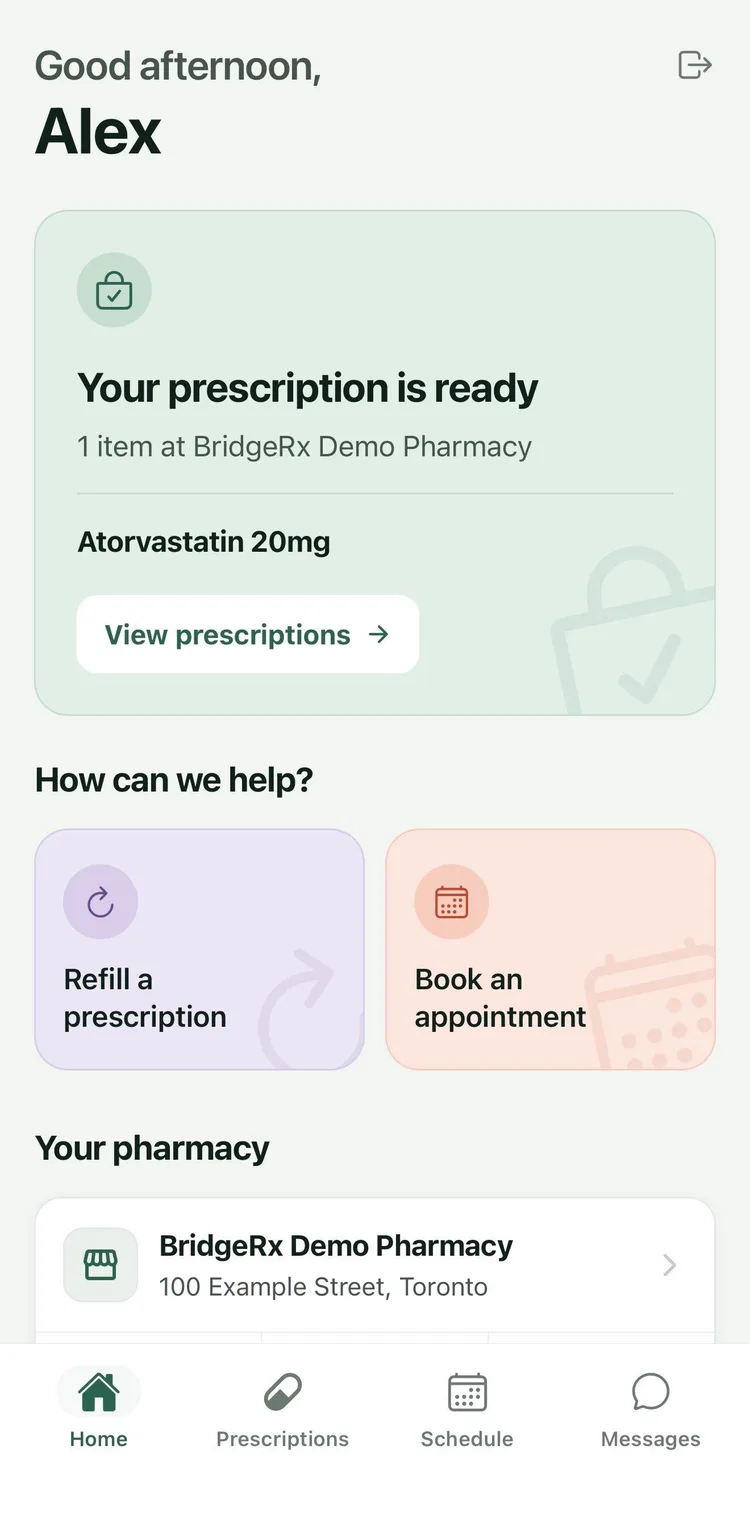
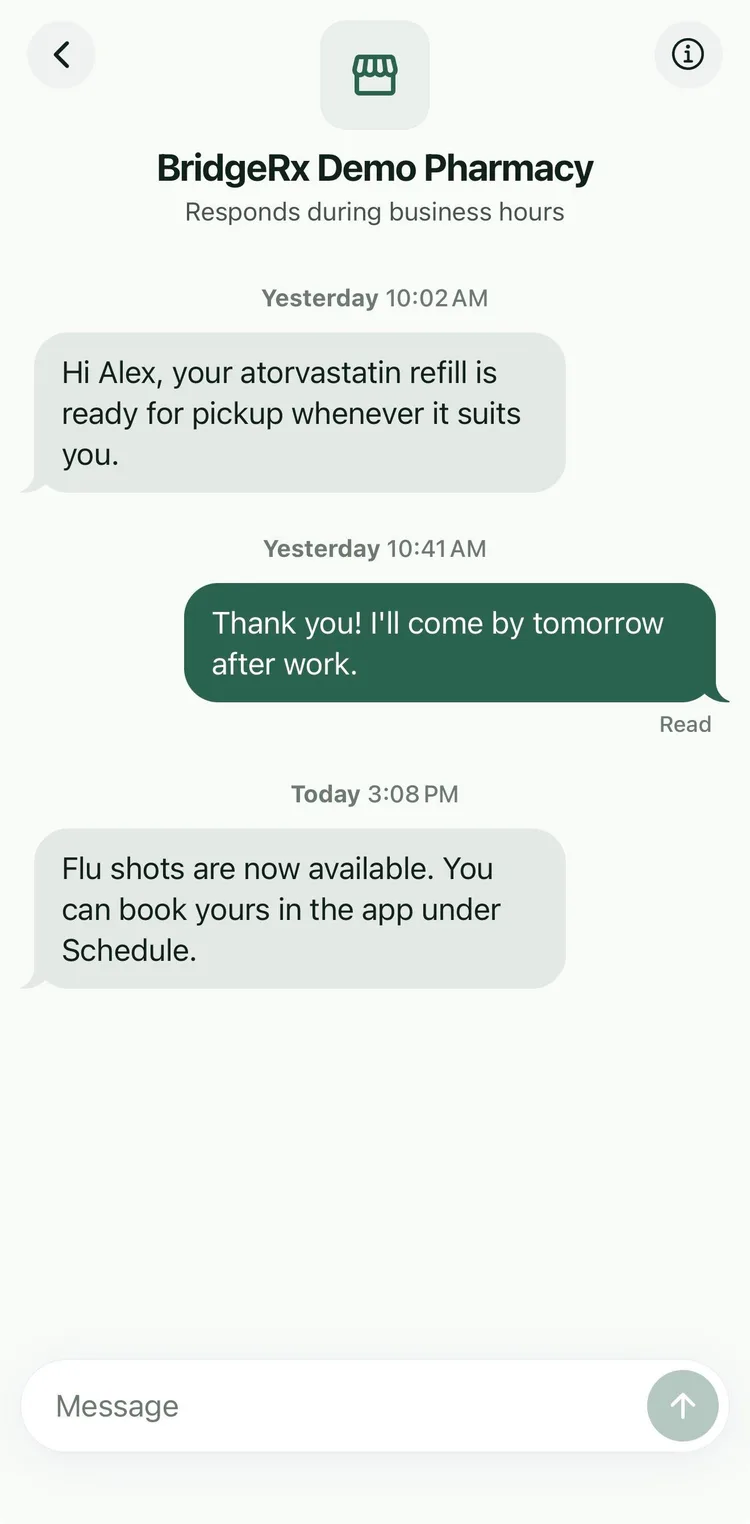
BridgeRx now has a direct line between your pharmacy and each of your patients. Patients message you from the app, and your team reads and replies from Patient Chat in Box Labs, alongside the rest of the day's work.
Tell someone their refill is ready, answer a quick question, or reach out first. Every patient on BridgeRx is a search away.
Conversations live in Patient Chat, with a live unread badge in the sidebar so nothing gets missed.
Search for any patient using BridgeRx and send the first message. No waiting for them to reach out.
Your message arrives on the patient's phone under your pharmacy's name.
See when a patient has read your message, and they can see when you've read theirs.
Patient chat is turned on per store in Box Labs Settings, so you choose when to start.
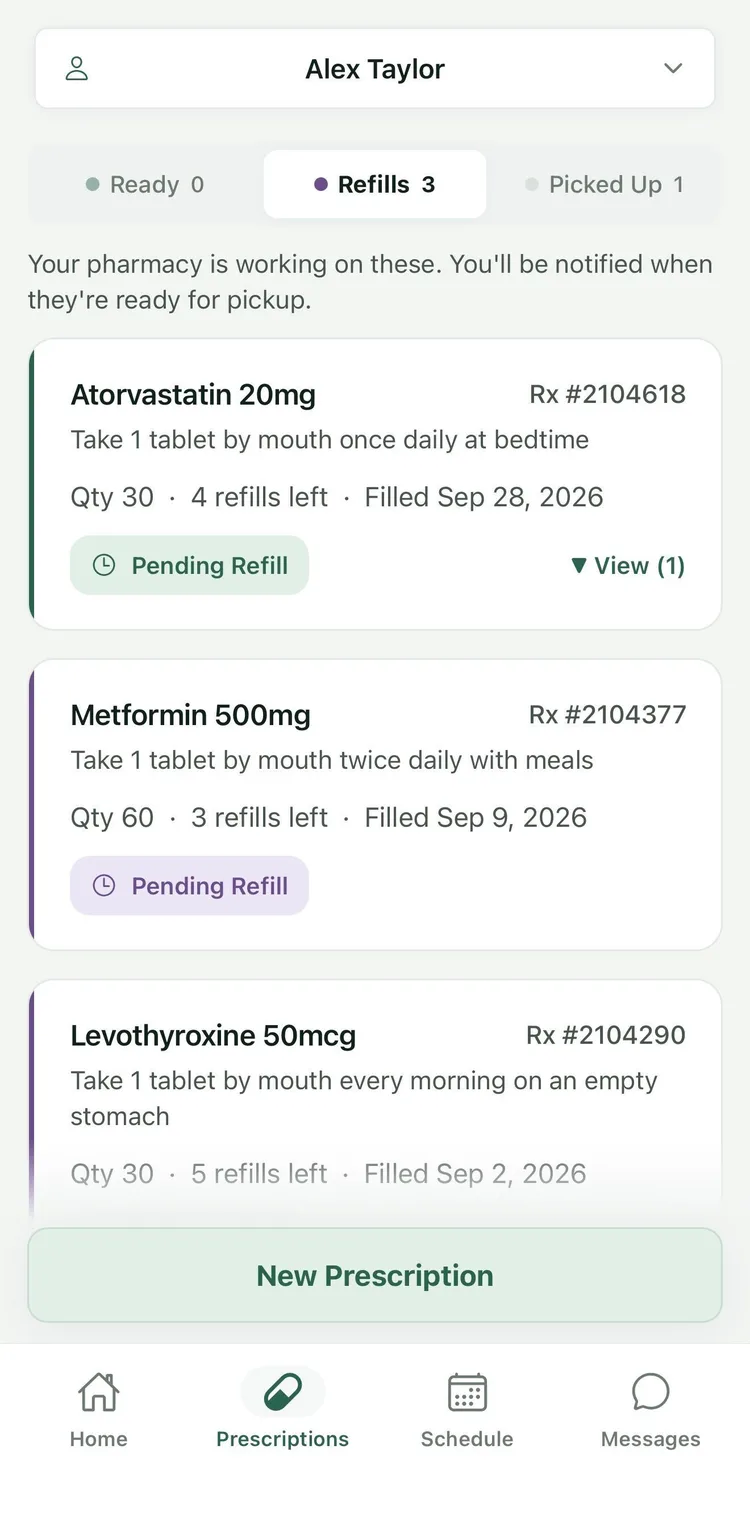
Patients photograph a new prescription, or attach a PDF, and send it straight to your pharmacy. Refills take one tap on any prescription that has refills left.
Both land in Data Entry in your Box Labs queue, with a note in your inbox, so your team can start right away.
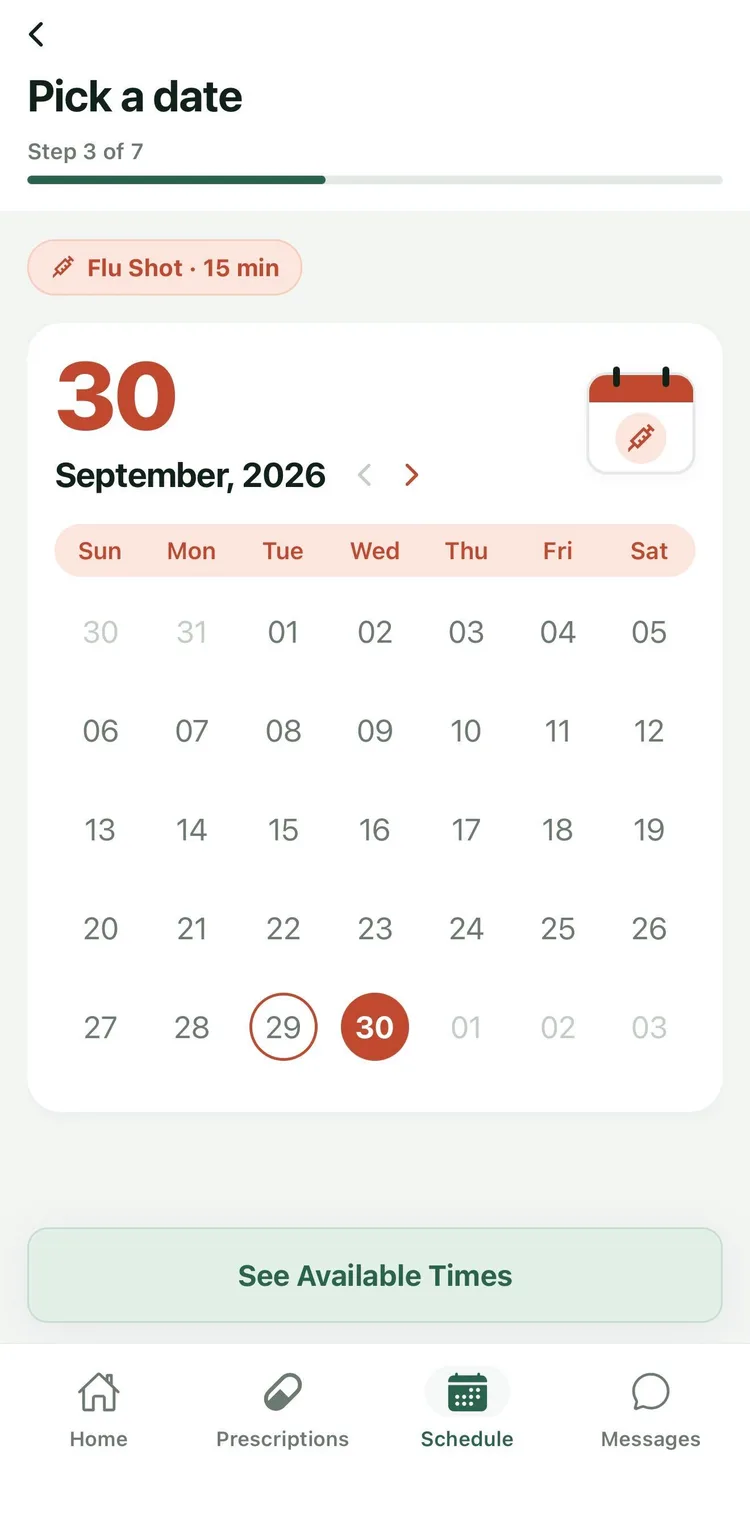
Patients pick a service, a day and a time from what you offer. You set your appointment types and weekly hours in Box Labs, and BridgeRx only shows the times you have open.
Every booking is checked against your hours and existing appointments, then shows up in Box Labs. Your store can get an email for each new one, too.
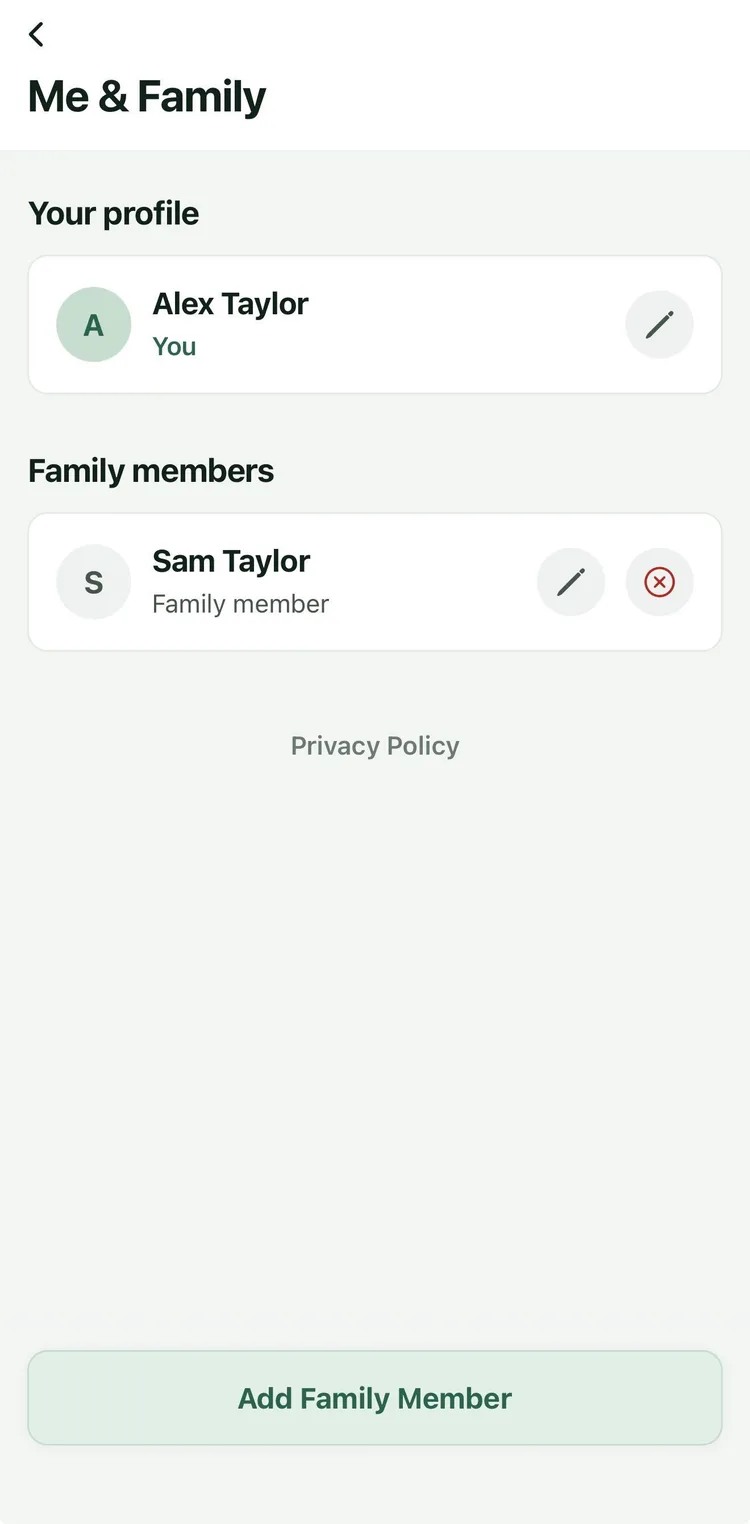
Patients can add a spouse, child or parent they look after, confirmed with that person's Rx number, date of birth and a one-time code. Then they switch between family members to request refills, send prescriptions and book appointments.
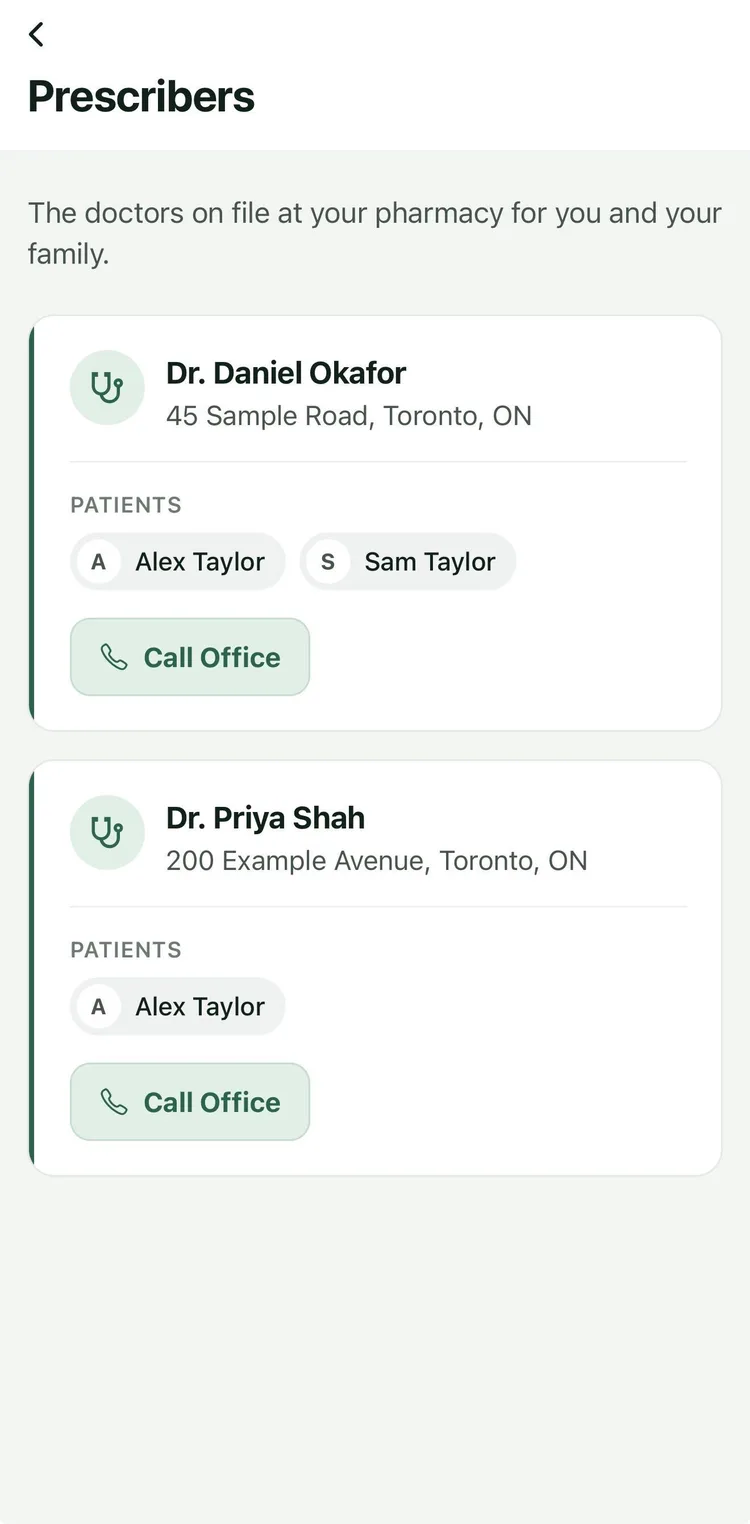
BridgeRx also lists the family's prescribers from your records, with a button to call the office.
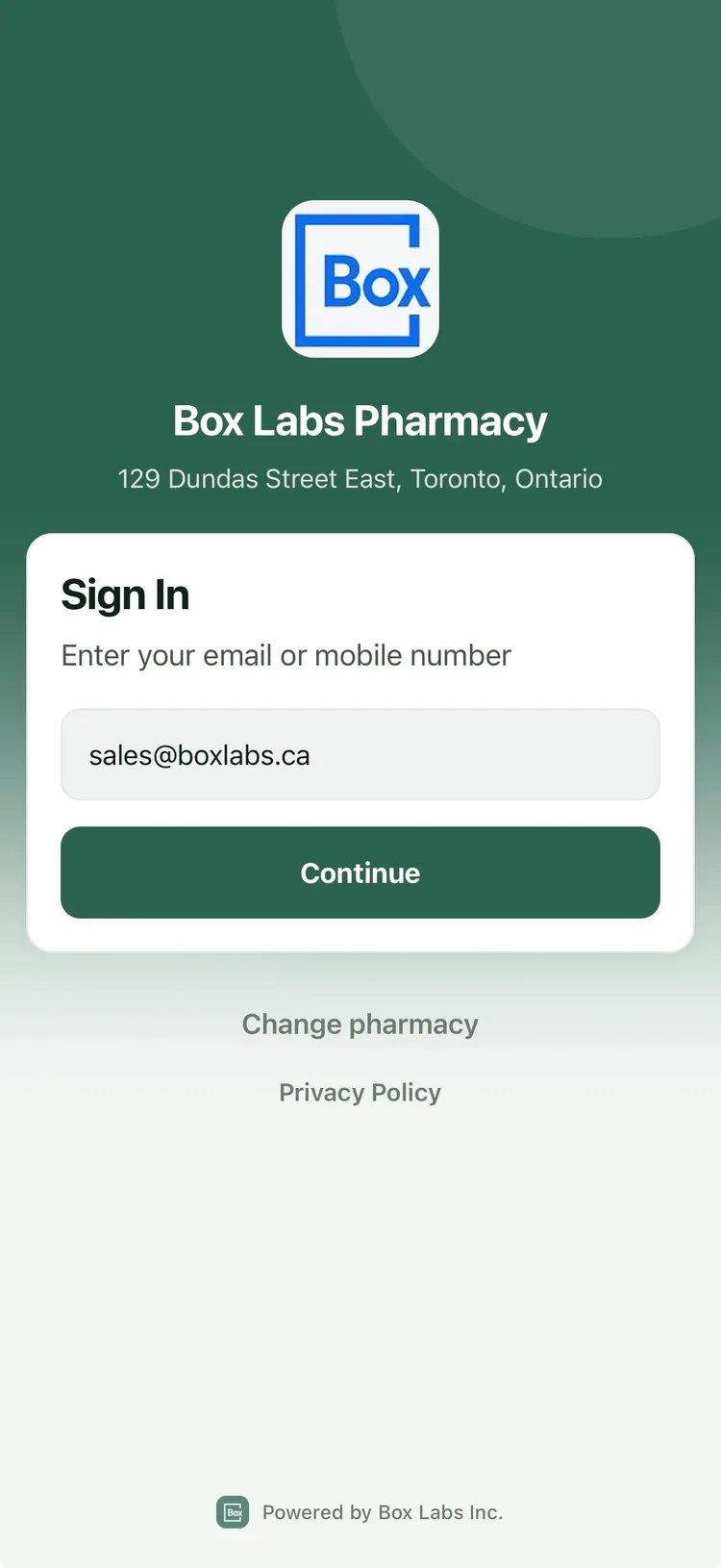
Patients sign in under your pharmacy's logo, name and address. Your details are on the home screen and in every conversation too, with buttons to call, get directions or get in touch.
Patients find you by your pharmacy's phone number, then confirm who they are with their Rx number, date of birth and a one-time code. From the first sign-in, their account is matched to their patient record at your pharmacy.
Everything patients do in BridgeRx shows up in the Box Labs software you already use. There's nothing extra to log in to.
New prescriptions and refill requests go into Data Entry, with a note in your inbox.
Patient Chat in Box Labs, with a live unread badge in the sidebar.
Bookings follow the appointment types and weekly hours you set in Box Labs.
Patients hear automatically when a prescription is ready and before each appointment.

Give your patients a modern way to reach you, and your team one place to answer.
Live Chat